
Why Companies Are Issuing Distraction-Free Work Phones
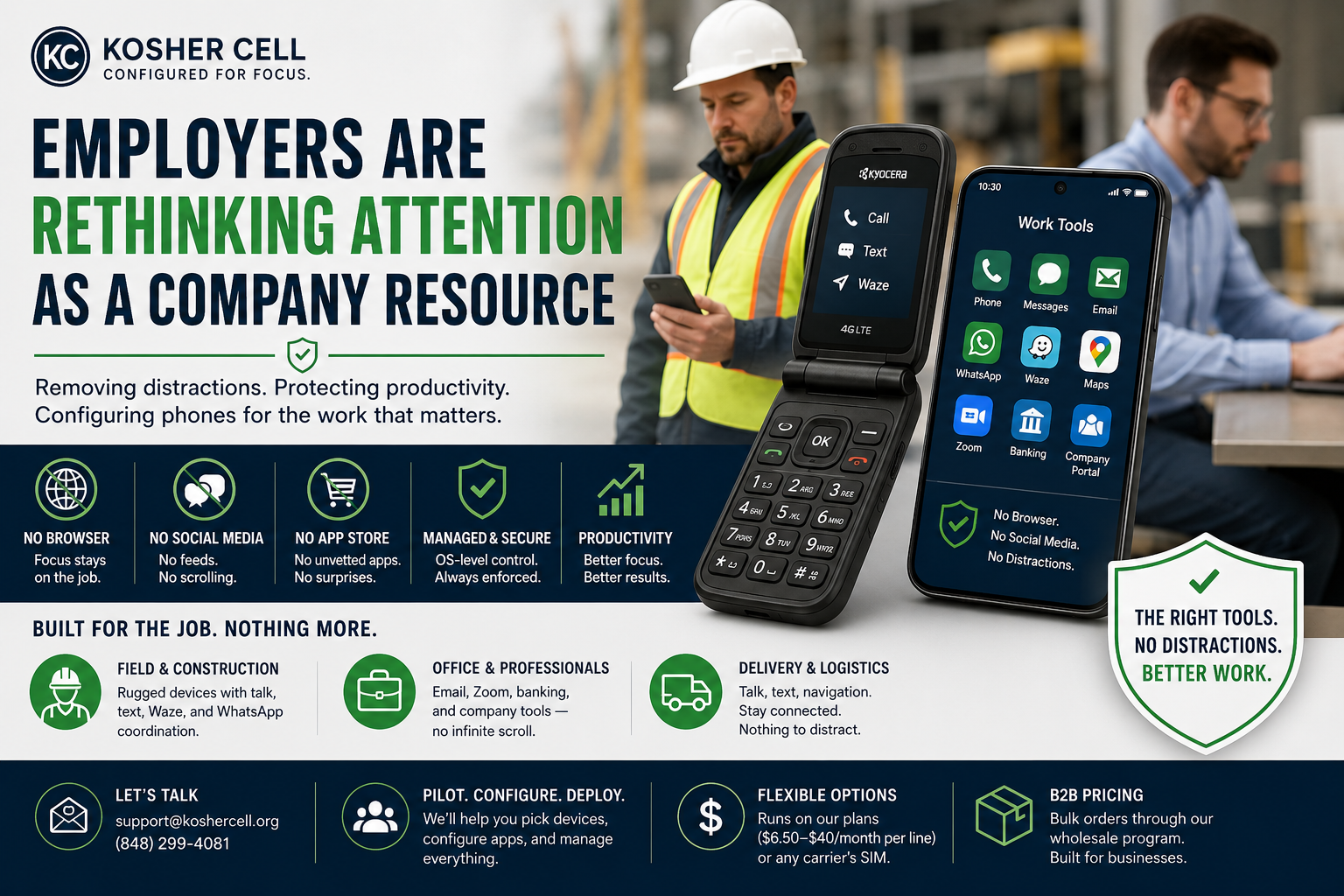
A longer read on the quiet trend of employers treating attention as a company resource — and configuring phones accordingly.
For two decades, the company phone followed one trajectory: more. More apps, more capability, more of everything. The assumption was that a more capable device made a more capable employee.
A growing number of employers have started questioning that assumption — not out of nostalgia, but out of arithmetic.
The cost nobody budgets for
A regular smartphone is a portal to everything, and "everything" is exactly the problem during working hours. The browser, the feeds, the short-form video, the group chats that have nothing to do with the job — each one is engineered to capture attention, and each capture is a context switch. The work doesn't stop; it just gets slower, choppier, and more error-prone, in increments too small to show up on any report.
For desk workers this is a productivity tax. For drivers, machine operators, and field crews, it's a safety issue. And for any business where employees handle customer information, an unrestricted device is also a wider attack surface — every unvetted app is something IT didn't approve and can't see.
The standard responses — policies in the handbook, monitoring software, asking nicely — all share a weakness: they regulate the use of the distraction while leaving the distraction installed. That turns managers into enforcers and turns every workday into a negotiation with a slot machine that's always in arm's reach.
A different approach: remove instead of restrict
We build phones where the distractions aren't blocked — they're gone. No web browser. No social media. No open app store. No video feeds. No AI chatbots. The removal happens at the operating-system level, managed by our MDM, so there's nothing for an employee to toggle off, uninstall, or factory-reset around.
What stays is everything the job actually requires: calls and texts, email, Waze and Google Maps, Zoom, banking apps, WhatsApp for crew coordination, hotspot for field laptops. The phone goes back to being what a work tool should be — completely reliable for its purpose, and silent otherwise.
We come at this from an unusual direction. We've spent years building filtered phones for communities with strict standards about what a device should and shouldn't do — which means the discipline of maintaining a curated app catalog, enforcing it at the device level, and managing changes through an approval process isn't a feature we bolted on for the business market. It's the entire company.
What this looks like in practice
A contracting crew carries rugged Kyocera DuraXA 4831 flips — military-spec against drops and water, with Waze for getting to the site. The foreman's device adds WhatsApp for coordinating with the office. Nobody is watching videos on the clock, because there is nothing to watch them on.
An office team carries koshered Samsung Galaxy or Pixel smartphones with email, Zoom, banking, and the company's approved tools. From the outside it's a normal smartphone. From the inside, the infinite scroll simply isn't there.
A delivery operation issues talk-text-and-navigation devices. Drivers reach dispatch and dispatch reaches drivers; the phone offers nothing else to look at.
In every case, the company sets the app list once, and the list holds. Need to add a dispatch app or a time clock next quarter? One email to us, and the change rolls out through the same managed channel — employees just tap Update Policy and the new tool appears.
Answering the objections
"Our people need real tools." They keep them. The point isn't a lesser phone; it's a phone where 100% of what's installed serves the work. Email, navigation, payments, video meetings — all there.
"Employees will hate it." Some grumble at first. But a company device with clear boundaries also gives employees something they quietly appreciate: when the work phone has no feeds, there's no expectation of being reachable on those feeds — and no temptation that turns a ten-minute break into forty. The boundary cuts both ways, in their favor.
"We already have an acceptable-use policy." A policy describes the behavior you want. A configured device produces it. The companies that switch usually do so after concluding that enforcement-by-memo is the most expensive option on the menu.
"What if our needs change?" The filter is adjustable and, ultimately, removable. Policies are managed per-device, so a promotion, a role change, or a new tool is an email, not a hardware swap.
Getting started
A pilot is the sensible first step: pick one team, define the app list, and run a month. We'll recommend models — rugged flips for the field, koshered Samsung/Pixel smartphones for staff who need more — configure everything before it ships, and handle app changes afterward. Devices run on our plans ($8.50–$40/month per line) or any carrier's SIM. Bulk orders go through our wholesale program with B2B pricing.
Talk to us at support@koshercell.org or (848) 299-4081 with your headcount and what the job actually requires from a phone. We've been removing everything else for years.